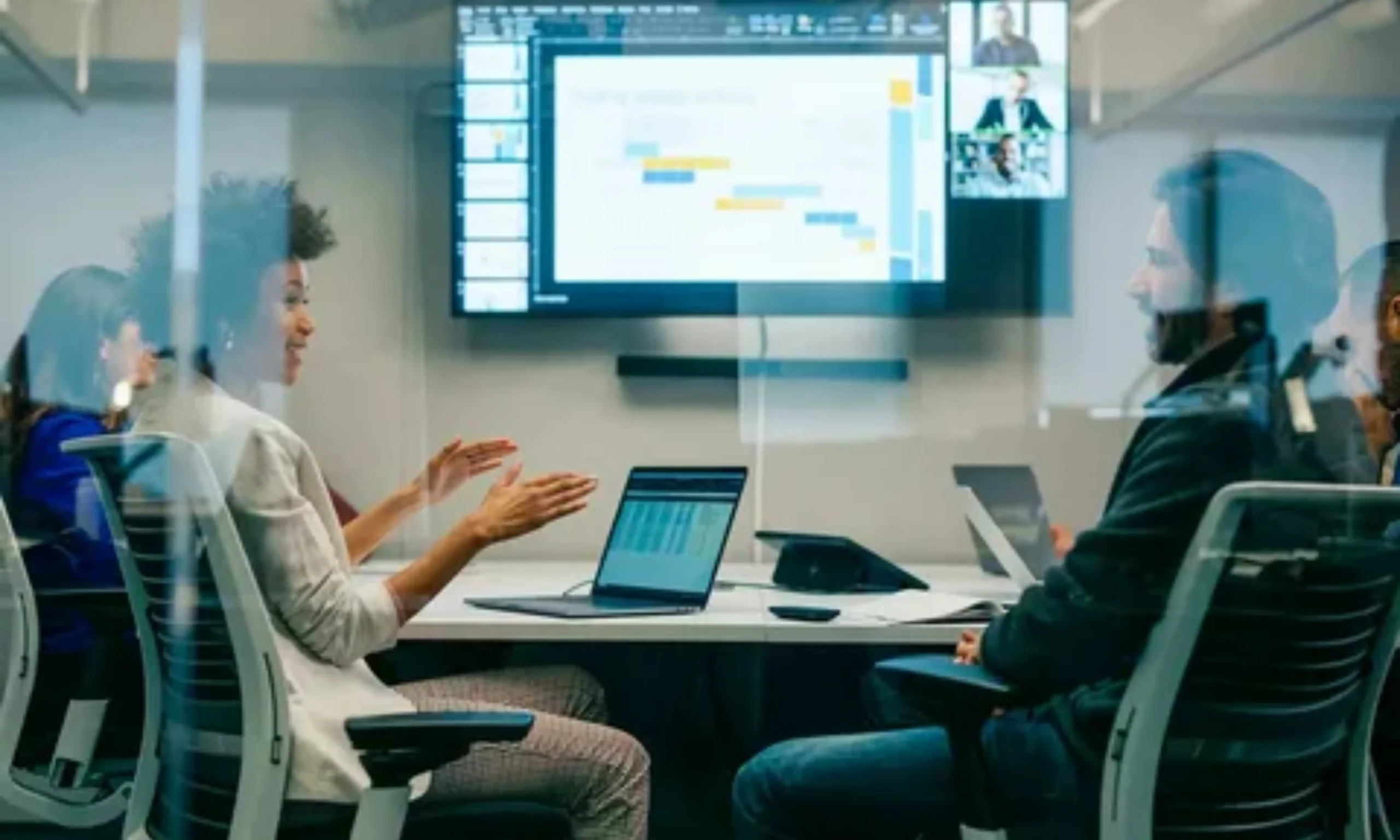
With remote work and online collaboration becoming the norm, mastering video conferencing has never been more important. Whether you’re leading a business meeting, attending a virtual class, or connecting with a distributed team, knowing the right video conference tips can make the difference between a smooth, productive call and a frustrating, chaotic one.
From setup and etiquette to engagement and technical troubleshooting, there are key strategies that ensure every virtual meeting runs efficiently and professionally. In this guide, we’ll share actionable tips to improve your video calls, including advice on camera and audio setup, proper lighting, software settings, and maintaining a professional presence.
We’ll also cover common mistakes to avoid, best practices for team collaboration, and ways to keep participants engaged throughout the meeting. By following these tips, you’ll not only enhance your own virtual communication skills but also help make every video conference more productive and enjoyable for everyone involved.
Essential Video Conference Tips
Running a successful video conference starts with a few simple but crucial tips that can make your meetings more professional and productive. Here are the essentials every participant should follow:
Test Your Equipment Beforehand – Check your camera, microphone, and internet connection to avoid technical glitches.
Use Proper Lighting – Natural light or a desk lamp in front of you prevents shadows and improves visibility.
Choose a Clean Background – Keep your surroundings tidy or use a virtual background for a professional look.
Mute When Not Speaking – Reduce background noise and prevent disruptions for other participants.
Maintain Eye Contact – Look at the camera instead of the screen to appear engaged and confident.
Dress Professionally – Even from home, appropriate attire shows respect and professionalism.
Minimize Distractions – Close unrelated apps and notifications to stay focused during the call.
Following these video conference tips ensures that every virtual meeting runs smoothly and leaves a positive impression on attendees.
Technical Setup Tips for Better Video Call
A strong technical setup is the foundation of any successful video conference. Ensuring your equipment and software are optimized can prevent disruptions and make you appear more professional.
1. Camera & Video Quality
Position your camera at eye level for natural framing.
Use a high-resolution webcam for clear visuals.
Ensure good lighting in front of you; avoid backlighting that casts shadows.
2. Audio Setup
- Use headphones or an external microphone to reduce echo and improve sound clarity.
- Test your microphone before the meeting to confirm proper volume.
- Mute when not speaking to prevent background noise from disrupting the call.
3. Internet & Software Settings
- Ensure a stable internet connection with at least 5 Mbps upload/download speed for HD video.
- Keep your conferencing software updated to access the latest features.
- Familiarize yourself with platform tools like screen sharing, chat, and virtual backgrounds for smoother meetings.
By focusing on these technical setup tips, you can avoid common video call issues and present yourself confidently, no matter the platform or audience.
Video Conference Etiquette and Professional Behavior
Professional behavior during video conferences can make or break the effectiveness of your meetings. Observing proper video conference etiquette ensures smooth communication and shows respect for your colleagues and clients.
1. Dress Appropriately
Even when working from home, wearing professional attire demonstrates seriousness and respect. Avoid overly casual clothing that can distract participants.
2. Be Punctual
Join meetings on time and be prepared. Late arrivals can disrupt the flow and reduce productivity.
3. Mind Your Camera and Microphone
Keep your video on if expected, but turn it off if there’s a reason to step away.
Mute your microphone when not speaking to avoid background noise.
4. Avoid Multitasking
Give your full attention to the meeting. Checking emails or browsing while on a call is noticeable and unprofessional.
5. Respect Speaking Turns
Allow others to finish speaking before responding. Use the chat feature or hand-raise tools in large meetings to avoid talking over participants.
6. Clear Communication
Speak clearly, maintain eye contact with the camera, and use concise language. This keeps meetings efficient and understandable for all participants.
Following these video conference etiquette tips helps create productive, respectful, and professional virtual meetings.
Tips for Engaging and Productive Virtual Meetings
Keeping participants engaged during a video conference is crucial for productivity. Here are actionable strategies to make your virtual meetings more interactive and effective:
1. Set a Clear Agenda
Share a concise agenda before the meeting to guide discussion and set expectations.
Define objectives so everyone knows the purpose and desired outcomes.
2. Encourage Participation
- Ask questions and prompt input from attendees to prevent passive listening.
- Use features like polls, reactions, or chat to involve participants.
3. Use Screen Sharing and Visuals
- Present slides, graphs, or live demos to clarify points and maintain interest.
- Avoid overly long monologues; visuals help keep attention.
4. Keep Meetings Concise
- Respect participants’ time by sticking to scheduled durations.
- Break longer meetings into segments or include short breaks to prevent fatigue.
5. Follow Up with Action Items
- Summarize decisions and assign tasks at the end of the meeting.
- Sending a quick recap email reinforces accountability and clarity.
By implementing these tips for productive virtual meetings, you can transform video calls from routine check-ins into engaging, goal-oriented sessions that maximize collaboration and efficiency.
Common Video Conferencing Mistakes to Avoid
Even experienced professionals can make mistakes during video conferences that affect communication and productivity. Being aware of these pitfalls helps you run smoother, more professional meetings.
1. Poor Lighting and Camera Angles
Sitting with a window behind you or having dim lighting can make you hard to see.
Keep the camera at eye level and use front-facing light sources.
2. Forgetting to Mute
- Background noise, pets, or family members can distract everyone.
- Always mute when not speaking to minimize disruptions.
3. Multitasking During Meetings
- Checking emails or scrolling through your phone sends a signal of disinterest.
- Stay focused on the discussion to maintain professionalism.
4. No Agenda or Meeting Structure
- Meetings without clear objectives often run long and unfocused.
- Share agendas and stick to key topics to save time.
5. Overloading Participants
- Inviting too many people or covering too many topics can overwhelm attendees.
- Keep meetings concise and involve only essential participants.
Avoiding these common mistakes ensures your video conferences remain efficient, professional, and engaging.
Best Tools & Equipment for Video Conferences
Having the right tools and equipment can dramatically improve the quality of your video conferences. From hardware to software, here’s what you should consider:
1. Webcams
Invest in a high-resolution webcam (1080p or higher) for clear visuals.
Ensure the camera is adjustable and positioned at eye level for better framing.
2. Microphones and Headsets
- External microphones or headsets provide clearer audio than built-in laptop mics.
- Noise-cancelling features reduce background distractions and improve communication.
3. Lighting Solutions
- Use ring lights, desk lamps, or natural light to illuminate your face evenly.
- Avoid backlighting, which can make you appear as a silhouette.
4. Software Tools
- Popular platforms include Zoom, Microsoft Teams, Google Meet, and Webex.
- Explore platform features such as virtual backgrounds, breakout rooms, screen sharing, and real-time captions.
5. Accessories and Extras
- Adjustable desks or laptop stands help maintain ergonomic posture.
- External monitors can make multitasking and presentations easier during meetings.
Investing in the right tools and equipment ensures your video conferences are professional, engaging, and free of technical distractions, helping you communicate effectively every time.
Video Conference Tips for Specific Use Cases
Different types of video conferences require slightly different approaches. Here’s how to optimize your performance for various scenarios:
1. Business Meetings
Prepare an agenda and share it with participants in advance.
Keep presentations concise and use visuals to support your points.
Use professional attire and maintain good posture to convey authority.
2. Job Interviews
- Test your camera, microphone, and internet connection before the call.
- Choose a neutral background and ensure proper lighting.
- Maintain eye contact with the camera, smile, and answer questions clearly.
3. Online Classes and Workshops
- Arrive early to troubleshoot technical issues.
- Actively participate through chat, polls, and Q&A sessions.
- Avoid distractions by silencing notifications and focusing on the session.
4. Large Team Meetings
- Use platform features like breakout rooms or polls to keep participants engaged.
- Assign roles (moderator, note-taker) to maintain structure.
Adapting your approach to the specific type of video conference ensures that your meetings are productive, engaging, and professional, regardless of the audience or purpose.
Frequently Asked Questions
How can I improve video conference quality?
Ensure proper lighting, a good webcam, clear audio, and a stable internet connection. Test all equipment before the meeting.
What is proper video conference etiquette?
Dress professionally, mute when not speaking, respect speaking turns, and avoid multitasking during the call.
Should I always keep my camera on?
Keeping your camera on is usually recommended for engagement, but consider privacy, bandwidth, or meeting context.
How do I reduce background noise during video calls?
Use headphones or an external microphone with noise-canceling features. Mute yourself when not speaking and choose a quiet environment.
How can I keep participants engaged in virtual meetings?
Share a clear agenda, encourage participation, use screen sharing, polls, and visuals, and keep meetings concise.
What tools can improve video conferencing?
High-quality webcams, external microphones, good lighting, stable internet, and platforms like Zoom, Microsoft Teams, or Google Meet all contribute to a smoother experience.
Conclusion
Mastering video conferences is essential in today’s remote and hybrid work environments. By following these video conference tips, you can ensure your virtual meetings are professional, productive, and engaging. From testing your camera and microphone to using proper lighting, maintaining eye contact, and practicing good etiquette, each step contributes to a smoother meeting experience.
Understanding the technical setup, avoiding common mistakes, and selecting the right tools and software can prevent disruptions and enhance communication. Tailoring your approach for specific use cases, such as business meetings, interviews, or online classes, further increases effectiveness.
Finally, keeping participants engaged with clear agendas, visuals, polls, and concise presentations helps your meetings achieve their goals. Implementing these strategies consistently not only improves your virtual presence but also demonstrates professionalism and respect for everyone involved. With these actionable tips, every video conference can become more efficient, enjoyable, and impactful.

David is the creative mind behind jokes Crafter, a hub for clever jokes, witty wordplay, and laugh-out-loud content. With a passion for humor and a knack for crafting the perfect punchline, David brings smiles to readers across the globe. When he's not writing, he's probably thinking up his next viral joke or enjoying a good comedy show.
- David

- David
- David
- David
- David
- David
- David
- David
- David
- David